
A keyboard-driven email client for macOS
Your email.
Your rules.
Organize mail with rules, customize the message list, and write replies in your editor.
Try inboxctl Watch a day with inboxctl
A day with inboxctl
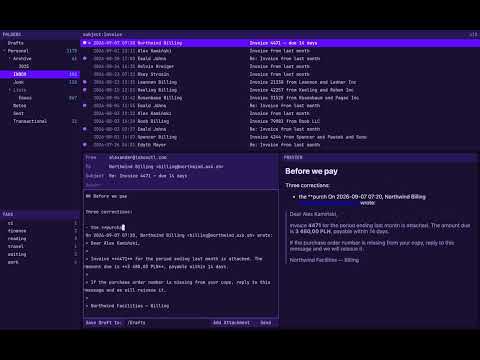
Keyboard-first
- /search mail
- gjump to a folder or tag
- c redit the rules
- c dedit the display rules
- m aarchive the selected message
- uundo, including server changes
Read HTML. Write Markdown.
Read HTML messages with remote images blocked until you allow them. Allow images from chosen senders; 1×1 tracking pixels remain blocked. Press m i to view the message source, or m l to list links and open the first nine with number keys.
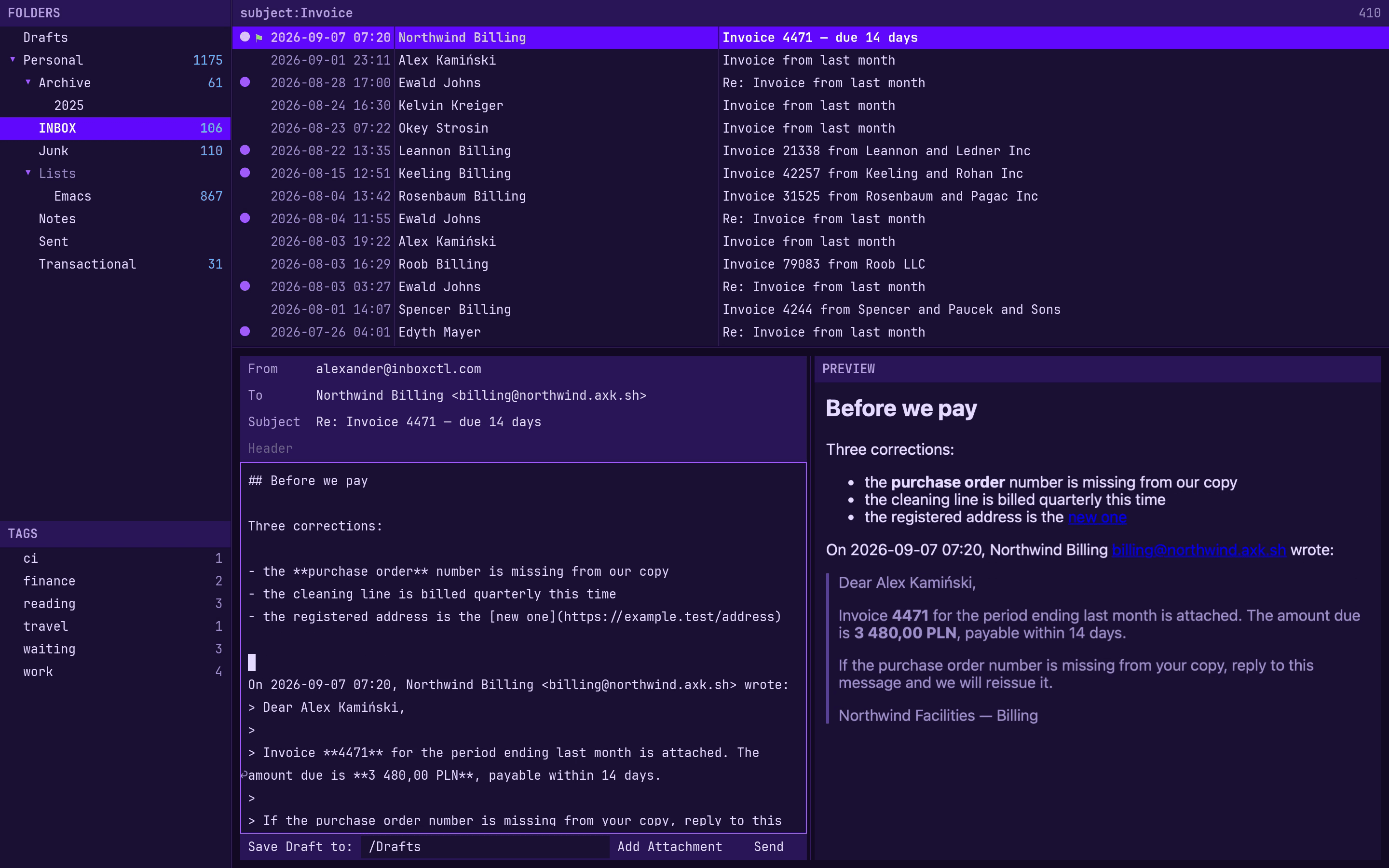
Preview Markdown as you write, including tables, task lists, footnotes and strikethrough. Quoted plain text is excluded from Markdown formatting. Pasted images are attached and referenced in the message body.
Find the email you need
Search your synced mail locally. Use the same queries in folders and rules.
Configure inboxctl in TOML
Edit themes, layout, fonts, and message columns using your editor or ours.
~/.config/inboxctl/config.toml
[ui]
theme = "inboxctl"
layout = "( folders / tags ) | ( message_list / message )"
message_list_format = [["unread", "flag"], "date", "from", "subject"]
block_images = true

[ui.font]
families = ["JetBrains Mono", "JetBrainsMono Nerd Font"]
size = 13.0
Handle email in bulk
Archive, mark read, delete, or move every search result with M followed by the action key. Use Space to select individual messages. Press u to undo.
Mail rules and display rules
File notifications automatically and flag mail that needs a reply.
~/.config/inboxctl/rules
# group GitHub mail by organization and repository
from:notifications@github.com
  subject~/^(?:Re: )?\[(?<owner>[^\/\]]+)\/(?<repo>[^\]]+)\]/
  -> file GitHub/${owner}/${repo} sort count

# file the mailing list and mark it read
list-id:rust-users -> file Lists/Rust, mark read

# flag mail from your boss and show a Dock dot
from:boss@corp.example is:unread -> flag, dot

# count unread messages in each folder
is:unread -> count folder
~/.config/inboxctl/display-rules
# drop the reply marker
from:notifications@github.com -> match:msg /^Re: / replace ""

# shorten the repository prefix and color it cyan
from:notifications@github.com -> match:msg /\[[^\]]+\/([^\]]+)\]/ replace "$1" cyan

# align PR numbers on the right
from:notifications@github.com -> ralign:msg /\S/ /#\d+$/

# show run results as green PASS or red FAIL
from:notifications@github.com -> match:msg /Run succeeded:/ replace "PASS" green
from:notifications@github.com -> match:msg /Run failed:/ replace "FAIL" red
Saving the file applies the rules to existing mail too. Errors are underlined; your last valid rules keep working.
More features
-
Neovim and Kakoune
Write messages and edit rules in Neovim or Kakoune with your existing configuration.
-
Custom counts and badges
Choose what the sidebar counts and when the Dock icon shows a badge.
-
Quote selected text
Select a passage to quote in your reply.
-
Multiple sender identities
Switch identities, each with its own signature, Reply-To address, and Bcc settings.
-
Drafts
Save drafts locally.
-
Color picker
Click a hex color in the config editor to adjust it visually.
-
Standard or Emacs keys
Both include incremental search.
-
Add an account by typing your address
Setup includes a link to create an app password.
-
Recent mail syncs first
Read and manage recent messages while older mail downloads in the background.
-
Folder management
Create, delete, hide, or stop syncing a folder from the folder pane.
-
Automatic folder recognition
Recognizes your provider’s trash, drafts, and archive folders.
-
POP3 accounts
Download mail with the option to keep a copy on the server.
Pricing
Try all features free for 30 days. The trial resets with each minor release.
-
Monthly
€9.99 $9.99 per month
VAT included. Tax excluded.
-
Yearly
€79.99 $79.99 per year
VAT included. Tax excluded. Twelve months for the price of eight.
Perpetual licence after 12 months. After 12 consecutive months of subscription, you can keep using the version that was current six months into your subscription, even if you cancel.
Checkout opens on Stripe, and your receipt and card statement will say Link: Sold through Link, LLC is the merchant of record. Buying means you agree to the Terms of Service, Privacy Notice and Refund Policy.
Download inboxctl
For macOS. Supports IMAP, JMAP, and POP3.